- Blog
- News & Updates
- How to connect AirHelp to Claude and check your compensation in seconds
How to connect AirHelp to Claude and check your compensation in seconds

Some flight problems are easier to describe than to search for. Connect the AirHelp connector to Claude, tell it what happened in a sentence, and you'll have an eligibility check and an estimated payout back before you've worked out where you left your boarding pass — on the same no-win, no-fee basis as any AirHelp claim.
Here's how to set it up, and a real canceled flight taken all the way through.
What does the AirHelp connector do in Claude?
It's a connector you add to Claude that weighs a flight disruption up against EC 261, UK 261, Turkish (SHY), and Saudi rules, and determines how much compensation you might be owed. It handles eight languages — English, French, Spanish, Italian, German, Polish, Portuguese, Dutch — replying in whichever one you write in. You don't need an AirHelp account to run a check; only filing a claim requires one. It sticks to delays, cancellations, and denied boarding, so it won't touch bookings, baggage, travel insurance, or live flight status.
Connecting AirHelp to Claude
In Claude, open Settings → Connectors, then Discover (or use the + icon in the message box).
Search for AirHelp and open the AirHelp flight compensation checker listing.
Select Connect to Claude.
From there, start a message with AirHelp any time you want to bring it in.
Checking your compensation, step by step
Here's a real flight, worked through end to end. It's a Barcelona–Milan cancellation, but the process is identical whatever route you're checking.

1. Enter your flight details, then confirm the exact airports from the list Claude offers.

2. Select your departure and arrival airports from the options provided on Claude.

3. Confirm the date you were due to fly — Yesterday and Today are one tap away.

4. Claude matches your route and date to the exact flight, and flags that this one was cancelled.

5. One more detail for cancellations: how much warning the airline gave. It decides whether compensation is owed.
Under EC 261, a cancellation announced less than 14 days before departure usually qualifies for compensation; more notice than that can mean nothing's owed. The same flow works for multi-leg trips too, if a missed connection is what caused the disruption.

The result: eligible, an estimated payout, the rule it falls under, and a button to complete the claim.
What happens when you're eligible?
You'll get an estimated payout and a button to complete your claim on AirHelp. That opens a claim form on airhelp.com with your flight already filled in — add your details and submit. The claim itself always finishes on airhelp.com, never inside Claude, and the number shown is an estimate until AirHelp assesses it properly.
If you're not eligible, Claude explains why — usually a delay under three hours, or something outside the airline's control — and points you to the AirHelp app instead.
Why it's worth having the AirHelp app too
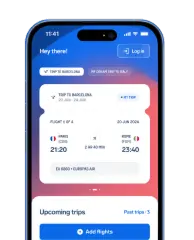
A Claude check is fast once something's already gone wrong. The AirHelp app works earlier than that: tracking your flights, flagging delays and gate changes as they happen, and syncing with your calendar or inbox so it already knows your itinerary.
Catch disruptions before you feel them
Over a million travelers already rely on it for exactly that — often getting an alert that they're owed compensation before they've even left the airport.


.jpg%3Ftr%3Df-auto&w=3840&q=75)
.png)