%22%2F%3E%3Crect%20width%3D%22400%22%20height%3D%22400%22%20fill%3D%22url(%23g3)%22%2F%3E%3Crect%20width%3D%22400%22%20height%3D%22400%22%20fill%3D%22url(%23g2)%22%2F%3E%3Crect%20width%3D%22400%22%20height%3D%22400%22%20fill%3D%22url(%23g1)%22%2F%3E%3Cdefs%3E%3CradialGradient%20id%3D%22g1%22%20cx%3D%221%22%20cy%3D%220%22%20r%3D%220.7375%22%3E%3Cstop%20offset%3D%220%22%20stop-color%3D%22%23E9F3FF%22%20stop-opacity%3D%221%22%2F%3E%3Cstop%20offset%3D%220.0816%22%20stop-color%3D%22%23EAF4FF%22%20stop-opacity%3D%221%22%2F%3E%3Cstop%20offset%3D%220.1633%22%20stop-color%3D%22%23EBF4FF%22%20stop-opacity%3D%221%22%2F%3E%3Cstop%20offset%3D%220.2449%22%20stop-color%3D%22%23ECF5FF%22%20stop-opacity%3D%221%22%2F%3E%3Cstop%20offset%3D%220.3266%22%20stop-color%3D%22%23EDF5FF%22%20stop-opacity%3D%221%22%2F%3E%3Cstop%20offset%3D%220.4082%22%20stop-color%3D%22%23EEF6FF%22%20stop-opacity%3D%221%22%2F%3E%3Cstop%20offset%3D%220.4898%22%20stop-color%3D%22%23EFF6FF%22%20stop-opacity%3D%221%22%2F%3E%3Cstop%20offset%3D%220.5715%22%20stop-color%3D%22%23F0F7FF%22%20stop-opacity%3D%221%22%2F%3E%3Cstop%20offset%3D%220.6531%22%20stop-color%3D%22%23F1F7FF%22%20stop-opacity%3D%221%22%2F%3E%3Cstop%20offset%3D%220.6965%22%20stop-color%3D%22%23F1F7FF%22%20stop-opacity%3D%220.875%22%2F%3E%3Cstop%20offset%3D%220.7398%22%20stop-color%3D%22%23F1F7FF%22%20stop-opacity%3D%220.75%22%2F%3E%3Cstop%20offset%3D%220.7832%22%20stop-color%3D%22%23F1F7FF%22%20stop-opacity%3D%220.625%22%2F%3E%3Cstop%20offset%3D%220.8266%22%20stop-color%3D%22%23F1F7FF%22%20stop-opacity%3D%220.5%22%2F%3E%3Cstop%20offset%3D%220.8699%22%20stop-color%3D%22%23F1F7FF%22%20stop-opacity%3D%220.375%22%2F%3E%3Cstop%20offset%3D%220.9133%22%20stop-color%3D%22%23F1F7FF%22%20stop-opacity%3D%220.25%22%2F%3E%3Cstop%20offset%3D%220.9566%22%20stop-color%3D%22%23F1F7FF%22%20stop-opacity%3D%220.125%22%2F%3E%3Cstop%20offset%3D%221%22%20stop-color%3D%22%23F1F7FF%22%20stop-opacity%3D%220%22%2F%3E%3C%2FradialGradient%3E%3CradialGradient%20id%3D%22g2%22%20cx%3D%220%22%20cy%3D%221%22%20r%3D%220.7071%22%3E%3Cstop%20offset%3D%220%22%20stop-color%3D%22%23B3D4FF%22%20stop-opacity%3D%221%22%2F%3E%3Cstop%20offset%3D%220.125%22%20stop-color%3D%22%23B3D4FF%22%20stop-opacity%3D%220.875%22%2F%3E%3Cstop%20offset%3D%220.25%22%20stop-color%3D%22%23B3D4FF%22%20stop-opacity%3D%220.75%22%2F%3E%3Cstop%20offset%3D%220.375%22%20stop-color%3D%22%23B3D4FF%22%20stop-opacity%3D%220.625%22%2F%3E%3Cstop%20offset%3D%220.5%22%20stop-color%3D%22%23B3D4FF%22%20stop-opacity%3D%220.5%22%2F%3E%3Cstop%20offset%3D%220.625%22%20stop-color%3D%22%23B3D4FF%22%20stop-opacity%3D%220.375%22%2F%3E%3Cstop%20offset%3D%220.75%22%20stop-color%3D%22%23B3D4FF%22%20stop-opacity%3D%220.25%22%2F%3E%3Cstop%20offset%3D%220.875%22%20stop-color%3D%22%23B3D4FF%22%20stop-opacity%3D%220.125%22%2F%3E%3Cstop%20offset%3D%221%22%20stop-color%3D%22%23B3D4FF%22%20stop-opacity%3D%220%22%2F%3E%3C%2FradialGradient%3E%3CradialGradient%20id%3D%22g3%22%20cx%3D%221%22%20cy%3D%221%22%20r%3D%221.1037%22%3E%3Cstop%20offset%3D%220%22%20stop-color%3D%22%23E3F0FF%22%20stop-opacity%3D%221%22%2F%3E%3Cstop%20offset%3D%220.1237%22%20stop-color%3D%22%23E3F0FF%22%20stop-opacity%3D%221%22%2F%3E%3Cstop%20offset%3D%220.2475%22%20stop-color%3D%22%23E3F0FF%22%20stop-opacity%3D%221%22%2F%3E%3Cstop%20offset%3D%220.3712%22%20stop-color%3D%22%23E3F0FF%22%20stop-opacity%3D%221%22%2F%3E%3Cstop%20offset%3D%220.495%22%20stop-color%3D%22%23E3F0FF%22%20stop-opacity%3D%221%22%2F%3E%3Cstop%20offset%3D%220.6188%22%20stop-color%3D%22%23E3F0FF%22%20stop-opacity%3D%221%22%2F%3E%3Cstop%20offset%3D%220.7425%22%20stop-color%3D%22%23E3F0FF%22%20stop-opacity%3D%221%22%2F%3E%3Cstop%20offset%3D%220.8662%22%20stop-color%3D%22%23E3F0FF%22%20stop-opacity%3D%221%22%2F%3E%3Cstop%20offset%3D%220.99%22%20stop-color%3D%22%23E3F0FF%22%20stop-opacity%3D%221%22%2F%3E%3Cstop%20offset%3D%220.9912%22%20stop-color%3D%22%23E3F0FF%22%20stop-opacity%3D%220.875%22%2F%3E%3Cstop%20offset%3D%220.9925%22%20stop-color%3D%22%23E3F0FF%22%20stop-opacity%3D%220.75%22%2F%3E%3Cstop%20offset%3D%220.9938%22%20stop-color%3D%22%23E3F0FF%22%20stop-opacity%3D%220.625%22%2F%3E%3Cstop%20offset%3D%220.995%22%20stop-color%3D%22%23E3F0FF%22%20stop-opacity%3D%220.5%22%2F%3E%3Cstop%20offset%3D%220.9962%22%20stop-color%3D%22%23E3F0FF%22%20stop-opacity%3D%220.375%22%2F%3E%3Cstop%20offset%3D%220.9975%22%20stop-color%3D%22%23E3F0FF%22%20stop-opacity%3D%220.25%22%2F%3E%3Cstop%20offset%3D%220.9988%22%20stop-color%3D%22%23E3F0FF%22%20stop-opacity%3D%220.125%22%2F%3E%3Cstop%20offset%3D%221%22%20stop-color%3D%22%23E3F0FF%22%20stop-opacity%3D%220%22%2F%3E%3C%2FradialGradient%3E%3ClinearGradient%20id%3D%22wash%22%20x1%3D%220%22%20y1%3D%220%22%20x2%3D%220%22%20y2%3D%221%22%3E%3Cstop%20offset%3D%220%22%20stop-color%3D%22%23FFFFFF%22%20stop-opacity%3D%221%22%2F%3E%3Cstop%20offset%3D%220.0625%22%20stop-color%3D%22%23FBFDFF%22%20stop-opacity%3D%221%22%2F%3E%3Cstop%20offset%3D%220.125%22%20stop-color%3D%22%23F7FBFF%22%20stop-opacity%3D%221%22%2F%3E%3Cstop%20offset%3D%220.1875%22%20stop-color%3D%22%23F3F8FF%22%20stop-opacity%3D%221%22%2F%3E%3Cstop%20offset%3D%220.25%22%20stop-color%3D%22%23EFF6FF%22%20stop-opacity%3D%221%22%2F%3E%3Cstop%20offset%3D%220.3125%22%20stop-color%3D%22%23EBF4FF%22%20stop-opacity%3D%221%22%2F%3E%3Cstop%20offset%3D%220.375%22%20stop-color%3D%22%23E7F2FF%22%20stop-opacity%3D%221%22%2F%3E%3Cstop%20offset%3D%220.4375%22%20stop-color%3D%22%23E3EFFF%22%20stop-opacity%3D%221%22%2F%3E%3Cstop%20offset%3D%220.5%22%20stop-color%3D%22%23DFEDFF%22%20stop-opacity%3D%221%22%2F%3E%3Cstop%20offset%3D%220.5625%22%20stop-color%3D%22%23DFEDFF%22%20stop-opacity%3D%221%22%2F%3E%3Cstop%20offset%3D%220.625%22%20stop-color%3D%22%23DFEDFF%22%20stop-opacity%3D%221%22%2F%3E%3Cstop%20offset%3D%220.6875%22%20stop-color%3D%22%23DFEDFF%22%20stop-opacity%3D%221%22%2F%3E%3Cstop%20offset%3D%220.75%22%20stop-color%3D%22%23DFEDFF%22%20stop-opacity%3D%221%22%2F%3E%3Cstop%20offset%3D%220.8125%22%20stop-color%3D%22%23DFEDFF%22%20stop-opacity%3D%221%22%2F%3E%3Cstop%20offset%3D%220.875%22%20stop-color%3D%22%23DFEDFF%22%20stop-opacity%3D%221%22%2F%3E%3Cstop%20offset%3D%220.9375%22%20stop-color%3D%22%23DFEDFF%22%20stop-opacity%3D%221%22%2F%3E%3Cstop%20offset%3D%221%22%20stop-color%3D%22%23DFEDFF%22%20stop-opacity%3D%221%22%2F%3E%3C%2FlinearGradient%3E%3C%2Fdefs%3E%3C%2Fsvg%3E)
How to check in online with Volotea
Check how much the airline owes you.
It's free and takes 2 minutes.
We help you enforce your passenger rights
Flights from last 3 years
Covers global and EU routes
We handle negotiations

If you're flying with Volotea, you can check in online free of charge on the airline's website or in its app, and get your boarding pass that way. You can also check in at the airport and get your boarding pass there, but only for a fee, as is the case with several low-cost airlines.
In this guide, we explain step-by-step how to check in online with Volotea, when online check-in opens and closes, how much it costs to get your boarding pass at the airport, and in which cases you can get it at the check-in desk free of charge.
Key Takeaways
How Volotea online check-in works
You can check in on the Volotea website or in the app, free of charge. At the airport it's only possible for a fee.
If you've chosen your seat, you get your boarding pass as soon as you've booked. If you haven't, you can get it between 4 days and 2 hours 30 minutes before departure.
Once you have your boarding pass, you can print it or keep it on your phone.
You can also collect your boarding pass at the airport for a fee: from €10 if you purchase the service online, or €30 if you pay at the desk on the day of your flight.
Your boarding pass is printed at the airport free of charge if you're travelling with a baby, with a pet or if you've requested special assistance.
What you need to check in online with Volotea
Before you start, make sure you have the following ready:
Your booking number, which you'll find in the confirmation email you received when you booked
The surname of one of the passengers or, alternatively, the contact email address given on the booking
If you can't find your confirmation email, you can ask for it to be sent again from the Volotea website. If you have an account, you can log in there and find your booking without entering the details manually.
How to check in online with Volotea: step by step
Volotea online check-in takes just a few minutes and can be completed free of charge on the official website or in the airline's app. Once you're done, you can print your boarding pass or keep it on your phone.
To check in online with Volotea:
Go to the Volotea website or open the app, which you can download for iOS and Android.
Access your booking with your booking number and the surname of one of the passengers, or log in to your account.
Check your booking again and add the services you want, such as a seat or baggage.
If you don't want to choose a seat, click on "I don't want seats": one will be allocated to you automatically, at no extra cost.
Save your boarding passes to your phone, or download and print them if you're checking in on a computer.
As mentioned above, online check-in can be completed on the web or in the app. Below you'll find the differences between the two options.
One thing to watch: if you change your booking after checking in online, the boarding passes you've already got are no longer valid. You'll need to download them again, and print them again, before you travel.
When to check in online with Volotea
With Volotea, when you can check in online depends on a choice you made when booking: whether or not you bought a seat.
Seat purchased
You can download your boarding pass as soon as you've booked
Without a seat
You can download your boarding pass from 4 days before departure
Closing time
In both cases, online check-in closes 2 hours 30 minutes before departure
If you chose your seat when you booked, you can get your boarding pass straight away and put it out of your mind. If you didn't buy a seat, you'll have to wait until 4 days before departure. At that point online check-in becomes available free of charge and, if you don't want to choose a seat, one is allocated to you automatically at no extra cost.
Don't confuse the closing time for online check-in with the opening hours of the desks at the airport: they're two different things. Online check-in closes 2 hours 30 minutes before departure, while the airport desks follow their own schedules.
What happens if you don't check in online with Volotea
If you don't check in online with Volotea you won't be left behind, but getting your boarding pass at the airport comes at a cost. There are two options:
buy the "Airport check-in" service in advance, from €10 per passenger, and find your boarding pass ready at the desk on the day of your flight;
or turn up at the desk without having bought anything, in which case airport check-in costs €30 per passenger.
You can add the airport check-in service when you book, later on from the "Manage your booking" section, or while you're checking in online. Buying it in advance therefore costs a lot less than paying at the desk.
There are, however, cases in which your boarding pass is printed at the airport at no extra cost. At the time of our check (August 2026) these are:
travelling with a baby;
travelling with a pet or a guide dog;
having requested special assistance at the airport;
travelling on a Standby service ticket;
travelling with a weapon;
departing from an airport that doesn't allow online validation of the boarding pass.
Online check-in isn't available for flights to or from Algeria and the United Kingdom: in those cases you go to the check-in desk, where your boarding pass is issued free of charge.
Volotea boarding pass: printed or on your phone?
Once you've completed online check-in, you can choose which format to keep your Volotea boarding pass in. There are two options:
keep it on your mobile device: if you check in on a phone or tablet, you download your boarding passes and can find them at any time in the Boarding cards section of the Volotea app, with no need to print them;
print it on paper: this is the route if you check in on a computer, where boarding passes have to be downloaded and then printed.
If you checked in online on a computer and you can't print your boarding pass, you can collect it at the check-in desk at the airport on the day of your flight. In that case, though, the service comes at a cost, unless you fall into one of the special check-in cases covered above.
What to do at the airport
Once you've completed online check-in, what you need to do at the airport depends on your baggage.
If you're travelling with hand luggage only and you already have your boarding pass, in most cases you can go straight to security.
If you have checked baggage, you'll need to go to the check-in desk to drop it off, even if you already have your boarding pass.
Get to the airport in good time to drop off any baggage, go through security and reach the boarding gate, following the deadlines that apply at your airport. Stick to the desk opening and closing times and make sure you are at the gate by the time shown on your boarding pass to avoid being denied boarding.
After online check-in: what happens if your flight is delayed or cancelled
You checked in on time, well within the deadline, and you were at the gate exactly when you should have been. And yet a cancellation, a delayed flight or overbooking can still get in the way of your plans, even with a confirmed booking.
In these cases, if the airline is responsible, European Regulation EC 261/2004 entitles you to compensation of up to €600 per passenger. The right to compensation applies to arrival delays of more than 3 hours, to cancellations announced without sufficient notice (more details here) and to denied boarding due to overbooking.
Working out whether you're entitled to compensation, and how to claim it from the airline, isn't always easy. To find out more, read our guide to Volotea compensation. Alternatively, you can check for free with AirHelp: just enter your flight details to find out in moments whether you're entitled to financial compensation.
Track your Volotea flight after check-in
Once online check-in is done, the wait for your flight begins. From that point on it's always a good idea to keep an eye on your flight status, especially if you have connections or someone picking you up when you land.
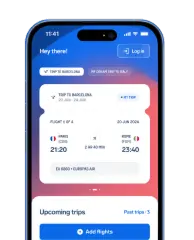
On the Volotea website you'll find the "Flight status" section, where you can check how your flight is doing in real time and follow its route. You can do the same in the airline's app, by entering your itinerary or your flight number. There's also the free AirHelp app, which adds one more feature: if your flight is delayed by more than 3 hours, is cancelled, or you're denied boarding, the app automatically checks whether you're entitled to compensation under Regulation EC 261/2004 and alerts you directly.
With the AirHelp app you can:
receive real-time notifications about delays, cancellations, gate changes and baggage carousels;
scan your boarding pass to add your flight quickly;
share your flight status with whoever is picking you up;
automatically check whether a disruption entitles you to compensation of up to €600;
start your compensation claim straight from the app, with no paperwork.
The app is free and available on iOS and Android.
FAQs about Volotea online check-in
In summary
To check in online with Volotea, all you need is your booking number and the surname of one of the passengers. The process is free and available on the airline's website and in its app. If you bought a seat, you can download your boarding pass as soon as you've paid; if you didn't, from 4 days before departure. In both cases, online check-in closes 2 hours 30 minutes before the flight.
Once check-in is done, you can keep your boarding pass on your phone, in the app's dedicated section, or print it if you completed the process on a computer. If you're travelling with hand luggage only, in most cases you can go straight to security. If you have baggage to check in, you'll need to drop it off at the check-in desk.
If you don't check in online, you can still get your boarding pass at the airport, but the service comes at a cost: buying it in advance is a lot cheaper than paying at the desk on the day of your flight. And remember that if you change your booking after checking in online, the boarding passes you already have are no longer valid.
AirHelp is an independent passenger rights service and is in no way affiliated or in partnership with Volotea. The information in this guide was gathered from Volotea's official pages and is up to date as of August 2026. Since times, rules and procedures can change, we invite you to always check the most up-to-date conditions directly on the official Volotea website.
Recent delays and cancellations
| Date | Flight number | Airline | Route | Status | |
|---|---|---|---|---|---|
11/06/20261:20 PM | AZ1779 | ITA Airways | Rome (FCO) Palermo (PMO) | Cancelled | Check Compensation |
11/06/20261:10 PM | AZ1730 | ITA Airways | Catania (CTA) Rome (FCO) | Cancelled | Check Compensation |
11/06/202612:50 PM | V72491 | Volotea | Brest (BES) Marseille (MRS) | Cancelled | Check Compensation |
11/06/202612:45 PM | V72524 | Volotea | Lille (LIL) Nice (NCE) | Cancelled | Check Compensation |
11/06/202612:30 PM | V72798 | Volotea | Rodez (RDZ) Porto (OPO) | Cancelled | Check Compensation |
11/06/202612:25 PM | V72038 | Volotea | Lyon (LYS) Prague (PRG) | Cancelled | Check Compensation |
11/06/202612:20 PM | AZ1269 | ITA Airways | Rome (FCO) Naples (NAP) | Cancelled | Check Compensation |
11/06/202612:15 PM | V72513 | Volotea | Montpellier (MPL) Lille (LIL) | Cancelled | Check Compensation |
11/06/202612:10 PM | V72769 | Volotea | Caen (CFR) Toulouse (TLS) | Cancelled | Check Compensation |
11/06/202612:10 PM | V72517 | Volotea | Brest (BES) Montpellier (MPL) | Cancelled | Check Compensation |
- AZ1779•ITA Airways
Cancelled
Rome••PalermoFCOPMO11/06/20261:20 PMCheck Compensation - AZ1730•ITA Airways
Cancelled
Catania••RomeCTAFCO11/06/20261:10 PMCheck Compensation - V72491•Volotea
Cancelled
Brest••MarseilleBESMRS11/06/202612:50 PMCheck Compensation - V72524•Volotea
Cancelled
Lille••NiceLILNCE11/06/202612:45 PMCheck Compensation - V72798•Volotea
Cancelled
Rodez••PortoRDZOPO11/06/202612:30 PMCheck Compensation - V72038•Volotea
Cancelled
Lyon••PragueLYSPRG11/06/202612:25 PMCheck Compensation - AZ1269•ITA Airways
Cancelled
Rome••NaplesFCONAP11/06/202612:20 PMCheck Compensation - V72513•Volotea
Cancelled
Montpellier••LilleMPLLIL11/06/202612:15 PMCheck Compensation - V72769•Volotea
Cancelled
Caen••ToulouseCFRTLS11/06/202612:10 PMCheck Compensation - V72517•Volotea
Cancelled
Brest••MontpellierBESMPL11/06/202612:10 PMCheck Compensation


