%22%2F%3E%3Crect%20width%3D%22400%22%20height%3D%22400%22%20fill%3D%22url(%23g3)%22%2F%3E%3Crect%20width%3D%22400%22%20height%3D%22400%22%20fill%3D%22url(%23g2)%22%2F%3E%3Crect%20width%3D%22400%22%20height%3D%22400%22%20fill%3D%22url(%23g1)%22%2F%3E%3Cdefs%3E%3CradialGradient%20id%3D%22g1%22%20cx%3D%221%22%20cy%3D%220%22%20r%3D%220.7375%22%3E%3Cstop%20offset%3D%220%22%20stop-color%3D%22%23E9F3FF%22%20stop-opacity%3D%221%22%2F%3E%3Cstop%20offset%3D%220.0816%22%20stop-color%3D%22%23EAF4FF%22%20stop-opacity%3D%221%22%2F%3E%3Cstop%20offset%3D%220.1633%22%20stop-color%3D%22%23EBF4FF%22%20stop-opacity%3D%221%22%2F%3E%3Cstop%20offset%3D%220.2449%22%20stop-color%3D%22%23ECF5FF%22%20stop-opacity%3D%221%22%2F%3E%3Cstop%20offset%3D%220.3266%22%20stop-color%3D%22%23EDF5FF%22%20stop-opacity%3D%221%22%2F%3E%3Cstop%20offset%3D%220.4082%22%20stop-color%3D%22%23EEF6FF%22%20stop-opacity%3D%221%22%2F%3E%3Cstop%20offset%3D%220.4898%22%20stop-color%3D%22%23EFF6FF%22%20stop-opacity%3D%221%22%2F%3E%3Cstop%20offset%3D%220.5715%22%20stop-color%3D%22%23F0F7FF%22%20stop-opacity%3D%221%22%2F%3E%3Cstop%20offset%3D%220.6531%22%20stop-color%3D%22%23F1F7FF%22%20stop-opacity%3D%221%22%2F%3E%3Cstop%20offset%3D%220.6965%22%20stop-color%3D%22%23F1F7FF%22%20stop-opacity%3D%220.875%22%2F%3E%3Cstop%20offset%3D%220.7398%22%20stop-color%3D%22%23F1F7FF%22%20stop-opacity%3D%220.75%22%2F%3E%3Cstop%20offset%3D%220.7832%22%20stop-color%3D%22%23F1F7FF%22%20stop-opacity%3D%220.625%22%2F%3E%3Cstop%20offset%3D%220.8266%22%20stop-color%3D%22%23F1F7FF%22%20stop-opacity%3D%220.5%22%2F%3E%3Cstop%20offset%3D%220.8699%22%20stop-color%3D%22%23F1F7FF%22%20stop-opacity%3D%220.375%22%2F%3E%3Cstop%20offset%3D%220.9133%22%20stop-color%3D%22%23F1F7FF%22%20stop-opacity%3D%220.25%22%2F%3E%3Cstop%20offset%3D%220.9566%22%20stop-color%3D%22%23F1F7FF%22%20stop-opacity%3D%220.125%22%2F%3E%3Cstop%20offset%3D%221%22%20stop-color%3D%22%23F1F7FF%22%20stop-opacity%3D%220%22%2F%3E%3C%2FradialGradient%3E%3CradialGradient%20id%3D%22g2%22%20cx%3D%220%22%20cy%3D%221%22%20r%3D%220.7071%22%3E%3Cstop%20offset%3D%220%22%20stop-color%3D%22%23B3D4FF%22%20stop-opacity%3D%221%22%2F%3E%3Cstop%20offset%3D%220.125%22%20stop-color%3D%22%23B3D4FF%22%20stop-opacity%3D%220.875%22%2F%3E%3Cstop%20offset%3D%220.25%22%20stop-color%3D%22%23B3D4FF%22%20stop-opacity%3D%220.75%22%2F%3E%3Cstop%20offset%3D%220.375%22%20stop-color%3D%22%23B3D4FF%22%20stop-opacity%3D%220.625%22%2F%3E%3Cstop%20offset%3D%220.5%22%20stop-color%3D%22%23B3D4FF%22%20stop-opacity%3D%220.5%22%2F%3E%3Cstop%20offset%3D%220.625%22%20stop-color%3D%22%23B3D4FF%22%20stop-opacity%3D%220.375%22%2F%3E%3Cstop%20offset%3D%220.75%22%20stop-color%3D%22%23B3D4FF%22%20stop-opacity%3D%220.25%22%2F%3E%3Cstop%20offset%3D%220.875%22%20stop-color%3D%22%23B3D4FF%22%20stop-opacity%3D%220.125%22%2F%3E%3Cstop%20offset%3D%221%22%20stop-color%3D%22%23B3D4FF%22%20stop-opacity%3D%220%22%2F%3E%3C%2FradialGradient%3E%3CradialGradient%20id%3D%22g3%22%20cx%3D%221%22%20cy%3D%221%22%20r%3D%221.1037%22%3E%3Cstop%20offset%3D%220%22%20stop-color%3D%22%23E3F0FF%22%20stop-opacity%3D%221%22%2F%3E%3Cstop%20offset%3D%220.1237%22%20stop-color%3D%22%23E3F0FF%22%20stop-opacity%3D%221%22%2F%3E%3Cstop%20offset%3D%220.2475%22%20stop-color%3D%22%23E3F0FF%22%20stop-opacity%3D%221%22%2F%3E%3Cstop%20offset%3D%220.3712%22%20stop-color%3D%22%23E3F0FF%22%20stop-opacity%3D%221%22%2F%3E%3Cstop%20offset%3D%220.495%22%20stop-color%3D%22%23E3F0FF%22%20stop-opacity%3D%221%22%2F%3E%3Cstop%20offset%3D%220.6188%22%20stop-color%3D%22%23E3F0FF%22%20stop-opacity%3D%221%22%2F%3E%3Cstop%20offset%3D%220.7425%22%20stop-color%3D%22%23E3F0FF%22%20stop-opacity%3D%221%22%2F%3E%3Cstop%20offset%3D%220.8662%22%20stop-color%3D%22%23E3F0FF%22%20stop-opacity%3D%221%22%2F%3E%3Cstop%20offset%3D%220.99%22%20stop-color%3D%22%23E3F0FF%22%20stop-opacity%3D%221%22%2F%3E%3Cstop%20offset%3D%220.9912%22%20stop-color%3D%22%23E3F0FF%22%20stop-opacity%3D%220.875%22%2F%3E%3Cstop%20offset%3D%220.9925%22%20stop-color%3D%22%23E3F0FF%22%20stop-opacity%3D%220.75%22%2F%3E%3Cstop%20offset%3D%220.9938%22%20stop-color%3D%22%23E3F0FF%22%20stop-opacity%3D%220.625%22%2F%3E%3Cstop%20offset%3D%220.995%22%20stop-color%3D%22%23E3F0FF%22%20stop-opacity%3D%220.5%22%2F%3E%3Cstop%20offset%3D%220.9962%22%20stop-color%3D%22%23E3F0FF%22%20stop-opacity%3D%220.375%22%2F%3E%3Cstop%20offset%3D%220.9975%22%20stop-color%3D%22%23E3F0FF%22%20stop-opacity%3D%220.25%22%2F%3E%3Cstop%20offset%3D%220.9988%22%20stop-color%3D%22%23E3F0FF%22%20stop-opacity%3D%220.125%22%2F%3E%3Cstop%20offset%3D%221%22%20stop-color%3D%22%23E3F0FF%22%20stop-opacity%3D%220%22%2F%3E%3C%2FradialGradient%3E%3ClinearGradient%20id%3D%22wash%22%20x1%3D%220%22%20y1%3D%220%22%20x2%3D%220%22%20y2%3D%221%22%3E%3Cstop%20offset%3D%220%22%20stop-color%3D%22%23FFFFFF%22%20stop-opacity%3D%221%22%2F%3E%3Cstop%20offset%3D%220.0625%22%20stop-color%3D%22%23FBFDFF%22%20stop-opacity%3D%221%22%2F%3E%3Cstop%20offset%3D%220.125%22%20stop-color%3D%22%23F7FBFF%22%20stop-opacity%3D%221%22%2F%3E%3Cstop%20offset%3D%220.1875%22%20stop-color%3D%22%23F3F8FF%22%20stop-opacity%3D%221%22%2F%3E%3Cstop%20offset%3D%220.25%22%20stop-color%3D%22%23EFF6FF%22%20stop-opacity%3D%221%22%2F%3E%3Cstop%20offset%3D%220.3125%22%20stop-color%3D%22%23EBF4FF%22%20stop-opacity%3D%221%22%2F%3E%3Cstop%20offset%3D%220.375%22%20stop-color%3D%22%23E7F2FF%22%20stop-opacity%3D%221%22%2F%3E%3Cstop%20offset%3D%220.4375%22%20stop-color%3D%22%23E3EFFF%22%20stop-opacity%3D%221%22%2F%3E%3Cstop%20offset%3D%220.5%22%20stop-color%3D%22%23DFEDFF%22%20stop-opacity%3D%221%22%2F%3E%3Cstop%20offset%3D%220.5625%22%20stop-color%3D%22%23DFEDFF%22%20stop-opacity%3D%221%22%2F%3E%3Cstop%20offset%3D%220.625%22%20stop-color%3D%22%23DFEDFF%22%20stop-opacity%3D%221%22%2F%3E%3Cstop%20offset%3D%220.6875%22%20stop-color%3D%22%23DFEDFF%22%20stop-opacity%3D%221%22%2F%3E%3Cstop%20offset%3D%220.75%22%20stop-color%3D%22%23DFEDFF%22%20stop-opacity%3D%221%22%2F%3E%3Cstop%20offset%3D%220.8125%22%20stop-color%3D%22%23DFEDFF%22%20stop-opacity%3D%221%22%2F%3E%3Cstop%20offset%3D%220.875%22%20stop-color%3D%22%23DFEDFF%22%20stop-opacity%3D%221%22%2F%3E%3Cstop%20offset%3D%220.9375%22%20stop-color%3D%22%23DFEDFF%22%20stop-opacity%3D%221%22%2F%3E%3Cstop%20offset%3D%221%22%20stop-color%3D%22%23DFEDFF%22%20stop-opacity%3D%221%22%2F%3E%3C%2FlinearGradient%3E%3C%2Fdefs%3E%3C%2Fsvg%3E)
How to check in online with Lufthansa
Check how much the airline owes you.
It's free and takes 2 minutes.
We help you enforce your passenger rights
Flights from last 3 years
Covers global and EU routes
We handle negotiations

Lufthansa online check-in lets you get your boarding pass before you reach the airport and, in most cases, go straight to security if you're travelling with hand luggage only. You can complete it on the official website or in the Lufthansa app, and it takes just a few minutes.
In this guide we cover when check-in opens, how to complete it step by step, how to get your boarding pass and what to do at the airport once you're done.
Key Takeaways
How Lufthansa online check-in works
Lufthansa online check-in opens 30 hours before departure.
You can complete it either on the Lufthansa website or in the airline's app.
Once you've checked in, your boarding pass is normally available in the Lufthansa app or by email, and you can save it to your Apple or Google wallet.
Lufthansa also offers an automated check-in service.
If you have baggage to check in, you'll need to drop it off at the Lufthansa bag drop counters or at the bag drop kiosks available at some airports.
Check-in deadlines for baggage drop-off and other airport formalities can vary depending on the airport and the destination.
If your flight is operated by another airline (a codeshare flight), you may need to check in directly on the operating carrier's website.
When you can check in online with Lufthansa
One question that comes up a lot is how far in advance you can check in online. Lufthansa online check-in opens 30 hours before your flight's scheduled departure time. From then on, you can check in on the website or in the app, choose your seat and get your boarding pass. As we'll see in more detail below, some passengers on certain flights can enable automated check-in, which sends you your boarding pass 23 hours before departure.
The other deadline to keep in mind is the airport check-in deadline. By then you need to have your boarding pass, and if you have checked baggage you need to have dropped it off. It applies regardless of how you checked in, and it changes from airport to airport, so Lufthansa doesn't give a single time. You'll find it on your boarding pass and on your ticket, or you can check it in advance with the check-in deadlines tool by entering your flight details.
Check-in opens
30 hours before departure, online or in the app
Automated check-in
Boarding pass 23 hours before departure (Schengen flights)
Check-in closes
Varies by airport, shown on your boarding pass
Documents and details you need for online check-in
Before you start the Lufthansa online check-in process, make sure you have the following ready:
Booking code (the alphanumeric code you receive by email when you buy your ticket) or your ticket number (the 13-digit sequence shown on your confirmation).
Passenger's first name and last name, as they appear on the booking.
ID card or passport, depending on your destination: you need it for some of the steps, and you'll need it on the day of your flight either way.
With your booking code and your name you can start the process in the app or on the web without needing to register on the airline's website. Now let's look at the steps to follow to check in online with Lufthansa.
How to check in online with Lufthansa
Lufthansa online check-in takes just a few minutes and can be completed on the official website or in the airline's app. Once you're done, you can download your boarding pass to your phone and have it sent by email.
To check in online with Lufthansa:
Go to the Lufthansa website or open the airline's app.
Enter your booking code (PNR) or e-ticket number, along with the passenger's first name and last name.
Select the passengers and the flight you want to check in for.
Check your trip details and, if needed, complete or confirm the information requested.
Choose your seat, if your fare includes it, or accept the one assigned automatically.
Add any extra services available, such as extra baggage or other optional services.
Confirm your check-in and download your digital boarding pass.
Online check-in can be completed on the web, in the app or automatically. Below you'll find the differences between the three options.
Watch out for codeshare flights. If your flight is operated by another carrier but booked on a Lufthansa flight number (you can recognise this from the wording "operated by" in your booking confirmation), you may need to check in on the operating carrier's website rather than on the Lufthansa site.
Booked through a travel agency or a site like eDreams or Booking.com?
You still check in online on the official Lufthansa website or in the airline's app, wherever you bought your ticket. The process is identical to the one for passengers who booked directly: you need your Lufthansa booking code and the passenger's name.
The one thing to watch is the booking code. When you buy through a travel agency or an online travel agency (OTA) such as eDreams, Booking.com, lastminute.com or similar, you receive a confirmation code from the agency, which doesn't always match Lufthansa's booking code, also known as the PNR (Passenger Name Record). The Lufthansa booking code is the six-character alphanumeric code the airline uses to identify your booking in its own system, and it's the one you need in order to access online check-in.
How to find your Lufthansa booking code:
check the confirmation email from the agency or OTA: the Lufthansa booking code is often shown in a separate section, next to wording such as "airline confirmation number", "airline booking reference" or "booking reference";
if it isn't in the email, go to the My flights section on the Lufthansa website and enter the passenger's details: in some cases the system can find the booking even without the booking code;
alternatively, contact the agency or OTA directly and ask for the airline's booking code, explaining that you need it to check in with Lufthansa.
If you've booked a package holiday that includes the flight, the booking code may not be included in your tour operator's documents. The Lufthansa online check-in page does, however, have a dedicated section for checking in online with the details provided by your tour operator. If any of the details are missing, you can request them from your tour operator or travel agency.
Online check-in: your boarding pass and what to do at the airport
Once you've completed online check-in, you have your digital boarding pass: in most cases, if you're travelling with hand luggage only, you can go straight to security at the airport.
There are several places where you can find and retrieve your boarding pass:
the email you receive after online check-in;
the Lufthansa app;
the Lufthansa website, in the section for your trips;
your digital wallet, if you saved it to your phone.
It's always worth keeping a copy in your phone's wallet, so you can still open it without a stable internet connection. Either way, at many airports you can print a copy at a check-in machine, or ask for one at a Lufthansa counter.
What to do at the airport
Now that you have your boarding pass, what you need to do at the airport depends on your baggage:
if you're travelling with hand luggage only, in most cases you can go straight to security and then to your gate, skipping the airline counters altogether;
if you have checked baggage, you'll need to drop it off at a Lufthansa bag drop counter or, depending on the airport, at a bag drop kiosk.
The deadlines for dropping off your baggage and getting to the gate are normally shown on your boarding pass. You can also find them on the official Lufthansa website, in the check-in deadlines section. It's very important to stick to them so you don't risk being denied boarding.
Who can't check in online with Lufthansa
In most cases Lufthansa online check-in is available with no particular restrictions, but in certain cases you may need to go to the counter at the airport, or follow a different process:
unaccompanied minors;
passengers who need special assistance;
anyone travelling with a pet in the cabin: you can check in online, but you still have to collect your boarding pass at the airport;
destinations that require travel documents to be verified;
situations where additional checks are needed before boarding;
flights operated by other airlines or codeshare flights: in some cases, online check-in has to be done on the operating carrier's website.
If one of these applies to you, you'll need to go to the airport and complete the formalities at the Lufthansa counter. The exception is some codeshare flights, where online check-in simply has to be done on a different website.
How to know if you need to check in at the airport
If online check-in isn't available, or if your documents need to be verified, Lufthansa will generally tell you during the process or in the booking management section. If you're unsure, it's worth checking the information on the airline's official website or contacting customer service before you travel.
After check-in: what happens if your flight is delayed or cancelled
You checked in on time, well within the deadline, and you were at the gate exactly when you should have been. And yet a cancellation, a delayed flight or overbooking can still get in the way of your plans, even with a confirmed booking.
In these cases, if the airline is responsible, European Regulation EC 261/2004 entitles you to compensation of up to €600 per passenger. The right to compensation applies to arrival delays of more than 3 hours, to cancellations announced without sufficient notice (more details here) and to denied boarding due to overbooking.
Working out whether you're entitled to compensation, and how to claim it from the airline, isn't always easy. To find out more, read our guide to Lufthansa compensation. Alternatively, you can check for free with AirHelp: just enter your flight details to find out in moments whether you're entitled to financial compensation.
Track your Lufthansa flight after check-in
Once online check-in is done, the wait for your flight begins. From that point on it's always a good idea to keep an eye on your flight status, especially if you have connections or someone picking you up when you land.
The Lufthansa app lets you follow your flight status and receive notifications about gate changes or delays.
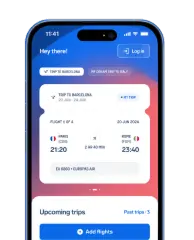
Alternatively, you can use the free AirHelp app, which adds one more feature: if your flight is delayed by more than 3 hours, is cancelled, or you're denied boarding, the app automatically checks whether you're entitled to compensation under Regulation EC 261/2004 and alerts you directly.
With the AirHelp app you can:
receive real-time notifications about delays, cancellations, gate changes and baggage carousels;
scan your boarding pass to add your flight quickly;
share your flight status with whoever is picking you up;
automatically check whether a disruption entitles you to compensation of up to €600;
start your compensation claim straight from the app, with no paperwork.
The app is free and available on iOS and Android.
FAQs about Lufthansa online check-in
In summary
To check in online with Lufthansa, all you need is your booking code, together with the passenger's first name and last name. The process is available on the official website and in the Lufthansa app from 30 hours before departure.
Once check-in is done, you get your digital boarding pass and, in most cases, you can go straight to security if you're travelling with hand luggage only. If you have baggage to check in, you'll need to drop it off at the Lufthansa counter or, where available, at a bag drop kiosk.
If you run into problems during online check-in, you can still complete the process at the airport without losing your booking.
AirHelp is an independent passenger rights service and is in no way affiliated or in partnership with Lufthansa. The information in this guide was gathered from Lufthansa's official pages and is up to date as of August 2026. Since times, rules and procedures can change, we invite you to always check the most up-to-date conditions directly on the official Lufthansa website.
Recent delays and cancellations
| Date | Flight number | Airline | Route | Status | |
|---|---|---|---|---|---|
11/03/20261:55 AM | AV9480 | Avianca | Bogota (BOG) Bucaramanga (BGA) | Cancelled | Check Compensation |
11/04/202612:45 AM | NH96 | All Nippon Airways | Osaka (KIX) Tokyo (HND) | Cancelled | Check Compensation |
11/04/202612:45 AM | NH753 | All Nippon Airways | Tokyo (HND) Komatsu (KMQ) | Cancelled | Check Compensation |
11/03/202612:20 AM | UA4488 | United Airlines | Chicago (ORD) Greensboro (GSO) | Cancelled | Check Compensation |
11/03/202612:10 AM | UA4806 | United Airlines | Chicago (ORD) Dayton (DAY) | Cancelled | Check Compensation |
11/03/202611:55 PM | UA5624 | United Airlines | Chicago (ORD) Lexington (LEX) | Cancelled | Check Compensation |
11/03/202611:55 PM | AC8261 | Air Canada | Toronto (YYZ) London (YXU) | Cancelled | Check Compensation |
11/03/202611:44 PM | UA1517 | United Airlines | Dallas (DFW) Chicago (ORD) | Cancelled | Check Compensation |
11/03/202611:40 PM | UA3571 | United Airlines | Indianapolis (IND) Newark (EWR) | Cancelled | Check Compensation |
11/03/202611:35 PM | AC462 | Air Canada | Toronto (YYZ) Ottawa (YOW) | Cancelled | Check Compensation |
- AV9480•Avianca
Cancelled
Bogota••BucaramangaBOGBGA11/03/20261:55 AMCheck Compensation - NH96•All Nippon Airways
Cancelled
Osaka••TokyoKIXHND11/04/202612:45 AMCheck Compensation - NH753•All Nippon Airways
Cancelled
Tokyo••KomatsuHNDKMQ11/04/202612:45 AMCheck Compensation - UA4488•United Airlines
Cancelled
Chicago••GreensboroORDGSO11/03/202612:20 AMCheck Compensation - UA4806•United Airlines
Cancelled
Chicago••DaytonORDDAY11/03/202612:10 AMCheck Compensation - UA5624•United Airlines
Cancelled
Chicago••LexingtonORDLEX11/03/202611:55 PMCheck Compensation - AC8261•Air Canada
Cancelled
Toronto••LondonYYZYXU11/03/202611:55 PMCheck Compensation - UA1517•United Airlines
Cancelled
Dallas••ChicagoDFWORD11/03/202611:44 PMCheck Compensation - UA3571•United Airlines
Cancelled
Indianapolis••NewarkINDEWR11/03/202611:40 PMCheck Compensation - AC462•Air Canada
Cancelled
Toronto••OttawaYYZYOW11/03/202611:35 PMCheck Compensation


