%22%2F%3E%3Crect%20width%3D%22400%22%20height%3D%22400%22%20fill%3D%22url(%23g3)%22%2F%3E%3Crect%20width%3D%22400%22%20height%3D%22400%22%20fill%3D%22url(%23g2)%22%2F%3E%3Crect%20width%3D%22400%22%20height%3D%22400%22%20fill%3D%22url(%23g1)%22%2F%3E%3Cdefs%3E%3CradialGradient%20id%3D%22g1%22%20cx%3D%221%22%20cy%3D%220%22%20r%3D%220.7375%22%3E%3Cstop%20offset%3D%220%22%20stop-color%3D%22%23E9F3FF%22%20stop-opacity%3D%221%22%2F%3E%3Cstop%20offset%3D%220.0816%22%20stop-color%3D%22%23EAF4FF%22%20stop-opacity%3D%221%22%2F%3E%3Cstop%20offset%3D%220.1633%22%20stop-color%3D%22%23EBF4FF%22%20stop-opacity%3D%221%22%2F%3E%3Cstop%20offset%3D%220.2449%22%20stop-color%3D%22%23ECF5FF%22%20stop-opacity%3D%221%22%2F%3E%3Cstop%20offset%3D%220.3266%22%20stop-color%3D%22%23EDF5FF%22%20stop-opacity%3D%221%22%2F%3E%3Cstop%20offset%3D%220.4082%22%20stop-color%3D%22%23EEF6FF%22%20stop-opacity%3D%221%22%2F%3E%3Cstop%20offset%3D%220.4898%22%20stop-color%3D%22%23EFF6FF%22%20stop-opacity%3D%221%22%2F%3E%3Cstop%20offset%3D%220.5715%22%20stop-color%3D%22%23F0F7FF%22%20stop-opacity%3D%221%22%2F%3E%3Cstop%20offset%3D%220.6531%22%20stop-color%3D%22%23F1F7FF%22%20stop-opacity%3D%221%22%2F%3E%3Cstop%20offset%3D%220.6965%22%20stop-color%3D%22%23F1F7FF%22%20stop-opacity%3D%220.875%22%2F%3E%3Cstop%20offset%3D%220.7398%22%20stop-color%3D%22%23F1F7FF%22%20stop-opacity%3D%220.75%22%2F%3E%3Cstop%20offset%3D%220.7832%22%20stop-color%3D%22%23F1F7FF%22%20stop-opacity%3D%220.625%22%2F%3E%3Cstop%20offset%3D%220.8266%22%20stop-color%3D%22%23F1F7FF%22%20stop-opacity%3D%220.5%22%2F%3E%3Cstop%20offset%3D%220.8699%22%20stop-color%3D%22%23F1F7FF%22%20stop-opacity%3D%220.375%22%2F%3E%3Cstop%20offset%3D%220.9133%22%20stop-color%3D%22%23F1F7FF%22%20stop-opacity%3D%220.25%22%2F%3E%3Cstop%20offset%3D%220.9566%22%20stop-color%3D%22%23F1F7FF%22%20stop-opacity%3D%220.125%22%2F%3E%3Cstop%20offset%3D%221%22%20stop-color%3D%22%23F1F7FF%22%20stop-opacity%3D%220%22%2F%3E%3C%2FradialGradient%3E%3CradialGradient%20id%3D%22g2%22%20cx%3D%220%22%20cy%3D%221%22%20r%3D%220.7071%22%3E%3Cstop%20offset%3D%220%22%20stop-color%3D%22%23B3D4FF%22%20stop-opacity%3D%221%22%2F%3E%3Cstop%20offset%3D%220.125%22%20stop-color%3D%22%23B3D4FF%22%20stop-opacity%3D%220.875%22%2F%3E%3Cstop%20offset%3D%220.25%22%20stop-color%3D%22%23B3D4FF%22%20stop-opacity%3D%220.75%22%2F%3E%3Cstop%20offset%3D%220.375%22%20stop-color%3D%22%23B3D4FF%22%20stop-opacity%3D%220.625%22%2F%3E%3Cstop%20offset%3D%220.5%22%20stop-color%3D%22%23B3D4FF%22%20stop-opacity%3D%220.5%22%2F%3E%3Cstop%20offset%3D%220.625%22%20stop-color%3D%22%23B3D4FF%22%20stop-opacity%3D%220.375%22%2F%3E%3Cstop%20offset%3D%220.75%22%20stop-color%3D%22%23B3D4FF%22%20stop-opacity%3D%220.25%22%2F%3E%3Cstop%20offset%3D%220.875%22%20stop-color%3D%22%23B3D4FF%22%20stop-opacity%3D%220.125%22%2F%3E%3Cstop%20offset%3D%221%22%20stop-color%3D%22%23B3D4FF%22%20stop-opacity%3D%220%22%2F%3E%3C%2FradialGradient%3E%3CradialGradient%20id%3D%22g3%22%20cx%3D%221%22%20cy%3D%221%22%20r%3D%221.1037%22%3E%3Cstop%20offset%3D%220%22%20stop-color%3D%22%23E3F0FF%22%20stop-opacity%3D%221%22%2F%3E%3Cstop%20offset%3D%220.1237%22%20stop-color%3D%22%23E3F0FF%22%20stop-opacity%3D%221%22%2F%3E%3Cstop%20offset%3D%220.2475%22%20stop-color%3D%22%23E3F0FF%22%20stop-opacity%3D%221%22%2F%3E%3Cstop%20offset%3D%220.3712%22%20stop-color%3D%22%23E3F0FF%22%20stop-opacity%3D%221%22%2F%3E%3Cstop%20offset%3D%220.495%22%20stop-color%3D%22%23E3F0FF%22%20stop-opacity%3D%221%22%2F%3E%3Cstop%20offset%3D%220.6188%22%20stop-color%3D%22%23E3F0FF%22%20stop-opacity%3D%221%22%2F%3E%3Cstop%20offset%3D%220.7425%22%20stop-color%3D%22%23E3F0FF%22%20stop-opacity%3D%221%22%2F%3E%3Cstop%20offset%3D%220.8662%22%20stop-color%3D%22%23E3F0FF%22%20stop-opacity%3D%221%22%2F%3E%3Cstop%20offset%3D%220.99%22%20stop-color%3D%22%23E3F0FF%22%20stop-opacity%3D%221%22%2F%3E%3Cstop%20offset%3D%220.9912%22%20stop-color%3D%22%23E3F0FF%22%20stop-opacity%3D%220.875%22%2F%3E%3Cstop%20offset%3D%220.9925%22%20stop-color%3D%22%23E3F0FF%22%20stop-opacity%3D%220.75%22%2F%3E%3Cstop%20offset%3D%220.9938%22%20stop-color%3D%22%23E3F0FF%22%20stop-opacity%3D%220.625%22%2F%3E%3Cstop%20offset%3D%220.995%22%20stop-color%3D%22%23E3F0FF%22%20stop-opacity%3D%220.5%22%2F%3E%3Cstop%20offset%3D%220.9962%22%20stop-color%3D%22%23E3F0FF%22%20stop-opacity%3D%220.375%22%2F%3E%3Cstop%20offset%3D%220.9975%22%20stop-color%3D%22%23E3F0FF%22%20stop-opacity%3D%220.25%22%2F%3E%3Cstop%20offset%3D%220.9988%22%20stop-color%3D%22%23E3F0FF%22%20stop-opacity%3D%220.125%22%2F%3E%3Cstop%20offset%3D%221%22%20stop-color%3D%22%23E3F0FF%22%20stop-opacity%3D%220%22%2F%3E%3C%2FradialGradient%3E%3ClinearGradient%20id%3D%22wash%22%20x1%3D%220%22%20y1%3D%220%22%20x2%3D%220%22%20y2%3D%221%22%3E%3Cstop%20offset%3D%220%22%20stop-color%3D%22%23FFFFFF%22%20stop-opacity%3D%221%22%2F%3E%3Cstop%20offset%3D%220.0625%22%20stop-color%3D%22%23FBFDFF%22%20stop-opacity%3D%221%22%2F%3E%3Cstop%20offset%3D%220.125%22%20stop-color%3D%22%23F7FBFF%22%20stop-opacity%3D%221%22%2F%3E%3Cstop%20offset%3D%220.1875%22%20stop-color%3D%22%23F3F8FF%22%20stop-opacity%3D%221%22%2F%3E%3Cstop%20offset%3D%220.25%22%20stop-color%3D%22%23EFF6FF%22%20stop-opacity%3D%221%22%2F%3E%3Cstop%20offset%3D%220.3125%22%20stop-color%3D%22%23EBF4FF%22%20stop-opacity%3D%221%22%2F%3E%3Cstop%20offset%3D%220.375%22%20stop-color%3D%22%23E7F2FF%22%20stop-opacity%3D%221%22%2F%3E%3Cstop%20offset%3D%220.4375%22%20stop-color%3D%22%23E3EFFF%22%20stop-opacity%3D%221%22%2F%3E%3Cstop%20offset%3D%220.5%22%20stop-color%3D%22%23DFEDFF%22%20stop-opacity%3D%221%22%2F%3E%3Cstop%20offset%3D%220.5625%22%20stop-color%3D%22%23DFEDFF%22%20stop-opacity%3D%221%22%2F%3E%3Cstop%20offset%3D%220.625%22%20stop-color%3D%22%23DFEDFF%22%20stop-opacity%3D%221%22%2F%3E%3Cstop%20offset%3D%220.6875%22%20stop-color%3D%22%23DFEDFF%22%20stop-opacity%3D%221%22%2F%3E%3Cstop%20offset%3D%220.75%22%20stop-color%3D%22%23DFEDFF%22%20stop-opacity%3D%221%22%2F%3E%3Cstop%20offset%3D%220.8125%22%20stop-color%3D%22%23DFEDFF%22%20stop-opacity%3D%221%22%2F%3E%3Cstop%20offset%3D%220.875%22%20stop-color%3D%22%23DFEDFF%22%20stop-opacity%3D%221%22%2F%3E%3Cstop%20offset%3D%220.9375%22%20stop-color%3D%22%23DFEDFF%22%20stop-opacity%3D%221%22%2F%3E%3Cstop%20offset%3D%221%22%20stop-color%3D%22%23DFEDFF%22%20stop-opacity%3D%221%22%2F%3E%3C%2FlinearGradient%3E%3C%2Fdefs%3E%3C%2Fsvg%3E)
How to check in online with Wizz Air
Check how much the airline owes you.
It's free and takes 2 minutes.
We help you enforce your passenger rights
Flights from last 3 years
Covers global and EU routes
We handle negotiations

If you're flying with Wizz Air, you can check in online for free from the airline's website or app. Alternatively, you can do it at the airport, but in that case a surcharge applies, as with most low-cost carriers.
In this guide, we explain step by step how to do the Wizz Air online check-in, when it opens (the window changes depending on whether or not you've purchased a seat), what happens if you don't do it in time, and how to get your boarding pass.
Key Takeaways
How Wizz Air online check-in works
Wizz Air online check-in opens 30 days before departure if you've purchased a seat; 24 hours before if you haven't.
Closing time: 3 hours before departure in both cases.
You can check in on the Wizz Air website or via the app, free of charge; at the airport only for a fee.
Once you have your boarding pass, you can print it or keep it in digital format in the app; some airports, however, do not accept the version on a mobile device.
Automatic check-in is available for a fee. In this case, Wizz Air checks you in 50 hours before departure and sends the boarding pass by email.
What you need to check in online with Wizz Air
Before you start, make sure you have on hand:
The booking confirmation code, which you'll find in the email received at the time of purchase.
Passenger's surname
A valid ID document (identity card or passport), required at the time of online check-in for some destinations.
If you have a WIZZ Account, you can also log in directly from the app or website and retrieve your booking without entering the details manually.
The document you use for online check-in is binding. At the airport, you'll need to present the same document you entered during the procedure: if you indicated your identity card, you won't be able to travel with your passport, and vice versa.
How to check in online with Wizz Air: the step-by-step procedure
Wizz Air online check-in takes only a few minutes and can be completed free of charge from the airline's official website or app. Once the procedure is complete, you can print your boarding pass or keep it in digital format.
To check in online with Wizz Air:
Go to the Wizz Air website (to "Find booking") or open the app: if you have a WIZZ Account, your booking is already there.
Enter the confirmation code and the passenger's surname to retrieve the booking.
Select the flight you want to check in for.
Verify the passenger details. For some destinations, you may also be asked to enter your travel document details.
Confirm the check-in: your boarding pass is ready. You can download and print it, or keep it in the app.
As mentioned above, online check-in can be completed via web or app, but there's also the option to do it automatically. Find out below the differences between the three methods.
When to check in online with Wizz Air
When online check-in opens depends on whether you purchased a seat when you booked your Wizz Air flight.
With a selected seat
Online check-in opens 30 days before departure
Without a seat
Online check-in opens 24 hours before departure
Closing time
In both cases it closes 3 hours before departure
If you purchased a seat during booking (or even later), you can therefore check in well in advance and get it out of the way. If instead you chose not to pay for a seat, you'll have to wait until 24 hours before departure: at that point you'll be assigned a seat randomly and free of charge.
Be careful not to confuse the online check-in closing time with the airport desk hours: they're two different things. Online check-in closes 3 hours before departure, while the desks for baggage drop-off and airport check-in follow their own hours, which we cover later.
What happens if you don't check in online with Wizz Air
If you don't check in online, with Wizz Air you'll have to do it at the airport, and the service comes at a cost. The price changes depending on when you buy it:
if you add it in advance, at the time of booking or later from the flight summary page, the surcharge is 13 euros;
if instead you turn up at the desk without having purchased it beforehand, the cost rises and ranges from 40 to 50 euros per passenger and per flight (figures verified in July 2026).
In other words: online check-in is free, airport check-in isn't, and paying for it at the last minute is the most expensive option.
There are, however, some exceptions. At some airports online check-in is not available: in these cases airport check-in is free.
Wizz Air boarding pass: printed or on your phone?
Once you've completed online check-in, you can choose which format to keep your Wizz Air boarding pass in. There are two options:
print it on paper,
or keep it in digital format in the Wizz Air app, to show directly on your phone screen at the airport. If you use an iPhone, you can also save it to Wallet.
In any case, the boarding pass remains retrievable: either from the app, or from the website by logging back into the booking.
One thing to note is that not all airports accept the boarding pass on a mobile device: at these, the mobile boarding pass isn't generated at all, so you'll need to retrieve the booking from the website and print the paper version of the boarding pass. On the Wizz Air check-in page you'll find a tool to check in advance, airport by airport, whether the mobile boarding pass is available for your route.
What to do at the airport
Once you've completed online check-in, what you need to do at the airport depends on your baggage.
If you're travelling with checked baggage, you'll need to hand it in at the baggage drop-off desk. As a rule, the desks open 2 hours before departure and close 40 minutes before but some airports apply different rules. It's therefore a good idea to check your airport's hours on the dedicated page of the Wizz Air website.
If you're travelling only with hand luggage and already have your boarding pass, in most cases you can go straight to security.
Remember the deadlines: the gate normally closes 30 minutes before the departure time, but at some airports different times apply, so always check your boarding pass and the hours of your departure airport on the Wizz Air website. It's very important to respect them so you don't risk being denied boarding.
After online check-in: what happens if the flight is delayed or cancelled
You checked in on time, respected the deadline and arrived at the gate punctually: everything that was up to you. Yet it can happen that it's the airline that leaves you on the ground, due to a prolonged delay, a cancellation or overbooking, that is, when it sells more tickets than available seats and denies you boarding despite your confirmed booking.
In these cases, if the airline is responsible, European Regulation EC 261/2004 grants you up to €600 in compensation per passenger (compensation calculated based on the distance of the route). The right to compensation applies to arrival delays of more than 3 hours, to cancellations announced without sufficient notice and to denied boarding due to overbooking.
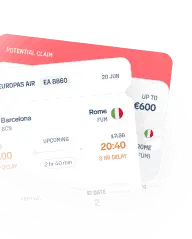
Figuring out whether you're entitled to compensation and how to obtain it from the airline isn't always straightforward. To learn more, you can check it for free with AirHelp: just enter your flight details and find out whether you're entitled to financial compensation.
Track your Wizz Air flight after check-in
Once online check-in is complete, the wait for your flight begins. Keeping an eye on your flight status from that point on is always a good habit, especially if you have connections or someone coming to pick you up on arrival.
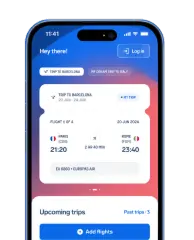
The Wizz Air app lets you follow your flight status, searching by number or by airport, and receive push notifications on updates and gate changes; alternatively, you can also check your flight status on wizzair.com. Then there's the free AirHelp app, which adds one more feature: if your flight is delayed by more than 3 hours, is cancelled, or you're denied boarding, the app automatically checks whether you're entitled to compensation under any regulation and alerts you directly.
With the AirHelp app you can:
Receive real-time notifications on delays, cancellations, gate changes and baggage carousels;
Scan your boarding pass to add your flight quickly;
share your flight status with whoever is coming to pick you up;Automatically check whether a disruption entitles you to compensation of up to €600;
Start your compensation claim directly from the app, without paperwork.
The app is free and available on iOS and Android.
FAQs about Wizz Air online check-in
In Summary
To check in online with Wizz Air, all you need is the booking confirmation code and the passenger's surname. The procedure is free and available from wizzair.com and the WIZZ app: it opens 30 days before departure if you've purchased a seat, 24 hours before if you haven't, and in both cases closes 3 hours before the flight. Alternatively, you can activate automatic check-in, for a fee, and receive your boarding pass by email 50 hours before departure.
Once check-in is complete, you can print your boarding pass or keep it in the app, remembering that some airports accept only the paper version. If you're travelling only with hand luggage, in most cases you can go straight to security; if you have baggage to check in, you'll need to hand it in at the Wizz Air desk, respecting your airport's deadlines.
If you can't check in online, you can still complete the procedure at the airport, but in this case the service comes at a cost (and buying it in advance from the website costs much less than paying for it directly at the desk).
AirHelp is an independent passenger rights service and is in no way affiliated or in partnership with Wizz Air. The information in this guide was gathered from Wizz Air's official pages and is up to date as of July 2026. Since times, rules and procedures can change, we invite you to always check the most up-to-date conditions directly on the official Wizz Air website.
Recent delays and cancellations
| Date | Flight number | Airline | Route | Status | |
|---|---|---|---|---|---|
10/13/202611:40 AM | W61741 | Wizz Air | Gdansk (GDN) Copenhagen (CPH) | Cancelled | Check Compensation |
10/13/202611:35 AM | W61274 | Wizz Air | Chisinau (RMO) Katowice (KTW) | Cancelled | Check Compensation |
10/13/202611:35 AM | W61738 | Wizz Air | Rijeka (RJK) Gdansk (GDN) | Cancelled | Check Compensation |
10/13/202611:30 AM | W61060 | Wizz Air | Brindisi (BDS) Katowice (KTW) | Cancelled | Check Compensation |
10/13/202611:25 AM | W61736 | Wizz Air | Gothenburg (GOT) Gdansk (GDN) | Cancelled | Check Compensation |
10/13/202611:20 AM | W61841 | Wizz Air | Wroclaw (WRO) Bucharest (BBU) | Cancelled | Check Compensation |
10/13/202611:15 AM | W61072 | Wizz Air | Eindhoven (EIN) Katowice (KTW) | Cancelled | Check Compensation |
10/13/202611:10 AM | W64108 | Wizz Air | Memmingen (FMM) Belgrade (BEG) | Cancelled | Check Compensation |
10/13/202611:05 AM | W62033 | Wizz Air | Krakow (KRK) Oslo (OSL) | Cancelled | Check Compensation |
10/13/202611:00 AM | W61585 | Wizz Air | Warsaw (WAW) Chisinau (RMO) | Cancelled | Check Compensation |
- W61741•Wizz Air
Cancelled
Gdansk••CopenhagenGDNCPH10/13/202611:40 AMCheck Compensation - W61274•Wizz Air
Cancelled
Chisinau••KatowiceRMOKTW10/13/202611:35 AMCheck Compensation - W61738•Wizz Air
Cancelled
Rijeka••GdanskRJKGDN10/13/202611:35 AMCheck Compensation - W61060•Wizz Air
Cancelled
Brindisi••KatowiceBDSKTW10/13/202611:30 AMCheck Compensation - W61736•Wizz Air
Cancelled
Gothenburg••GdanskGOTGDN10/13/202611:25 AMCheck Compensation - W61841•Wizz Air
Cancelled
Wroclaw••BucharestWROBBU10/13/202611:20 AMCheck Compensation - W61072•Wizz Air
Cancelled
Eindhoven••KatowiceEINKTW10/13/202611:15 AMCheck Compensation - W64108•Wizz Air
Cancelled
Memmingen••BelgradeFMMBEG10/13/202611:10 AMCheck Compensation - W62033•Wizz Air
Cancelled
Krakow••OsloKRKOSL10/13/202611:05 AMCheck Compensation - W61585•Wizz Air
Cancelled
Warsaw••ChisinauWAWRMO10/13/202611:00 AMCheck Compensation


